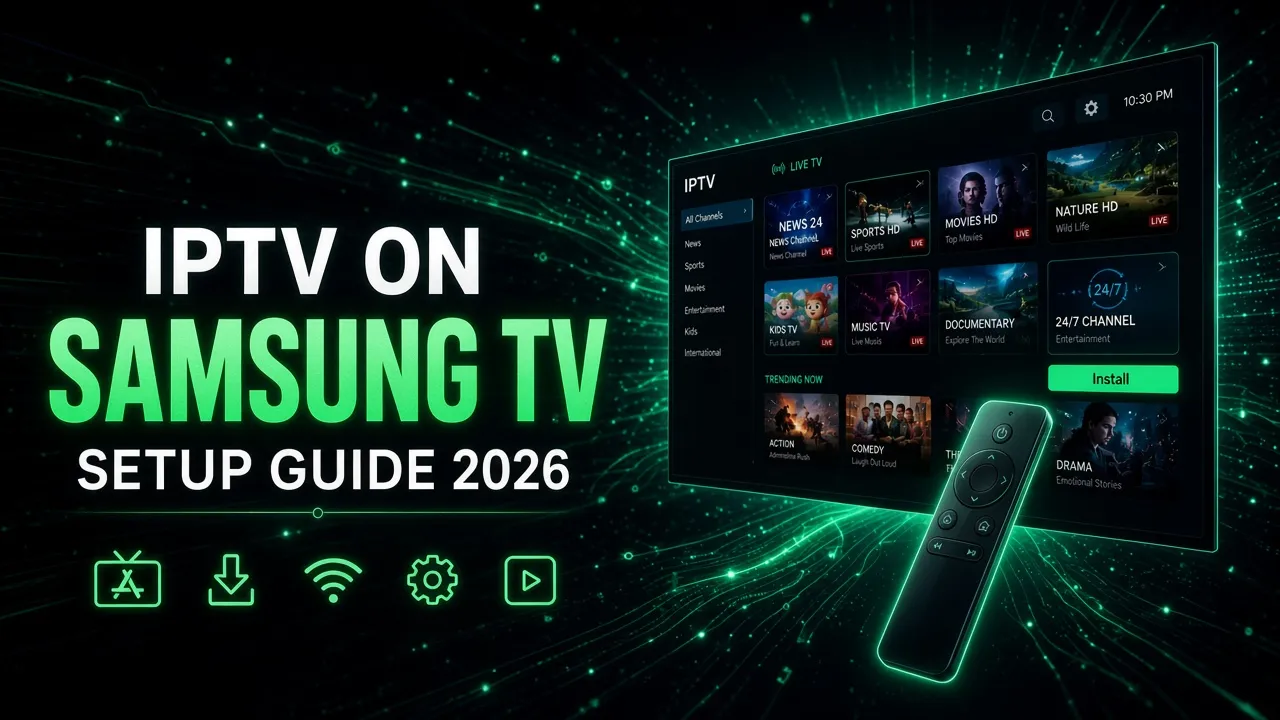
Samsung smart TVs run Tizen, not Android, so you can't install APK apps like the regular IPTV Smarters Pro. Instead, open the Samsung app store and install a Tizen IPTV player. IBO Player is the one we recommend for most people, and Smarters Player Lite is a free option where it's available. Then add the M3U link or Xtream Codes login from your IPTV provider. The whole thing takes about 10 minutes. If your TV is older than 2017 or you can't find any IPTV app, plug a Fire TV Stick 4K Max or an Android TV stick into the HDMI port instead (not the Fire TV Stick 4K Select, which can't install IPTV apps).
Almost every week someone messages us on WhatsApp with the same problem. They just got a brand-new Samsung TV, they searched the app store for "IPTV Smarters", and nothing came up. Or they found three apps with nearly the same name and had no idea which one was real.
That's not your fault. Samsung's app store changes by country and TV year, and most guides online were written for Firestick and copied onto Samsung. This guide is based on what we actually walk customers through when they set up Samsung and LG TVs, including the parts that usually go wrong.
Why IPTV Smarters Isn't on Your Samsung TV
Most IPTV apps were built for Android. Firesticks, Android TV boxes, Google TV, and NVIDIA Shield all run Android, so they can install those apps directly, or "sideload" them with the Downloader app.
Samsung went a different way. Since 2015 its smart TVs have run Tizen, Samsung's own operating system. Tizen can't open Android APK files, and there's no Google Play Store on it. You can only install what's in Samsung's own app store, and Samsung decides which apps are listed in which country.
So when you search for "IPTV Smarters Pro" on a Samsung TV, you're looking for an Android app on a TV that can't run Android apps. What you might find is a Tizen version from the same developer, called Smarters Player Lite. Whether it shows up depends on your region and TV year. That's why one article says "it's right there in the store" and the next says "it doesn't exist". Both can be true.
Watch out for copycats. The Samsung store has several apps with names like "Smart IPTV Player Pro" or "IPTV Smarter Player" that have nothing to do with the original developers. Check the developer name and reviews before you pay for anything inside an app.
Check Your TV's Model Year First
This takes 30 seconds and saves a lot of frustration. Your TV's age decides which apps you'll see in the store and how smoothly they'll run.
On the TV, go to Settings → Support → About This TV (on some models it's under Settings → All Settings → Support). You can also find the model number on the sticker on the back. Then look for the year letter. On most US models it comes right after the series number. For example, in QN65QN90DAFXZA the D means 2024, and in UN55TU7000FXZA the T means 2020.
| Letter in model number | Year | What to expect for IPTV |
|---|---|---|
| H | 2026 | Full app choice, fastest menus |
| F | 2025 | Full app choice (Samsung skipped "E") |
| D | 2024 | Full app choice |
| C | 2023 | Full app choice |
| B | 2022 | Full app choice |
| A / AU | 2021 | Runs all major IPTV apps well |
| T / TU | 2020 | Runs all major IPTV apps well |
| R / RU | 2019 | Works fine, slightly slower channel lists |
| N / NU | 2018 | Works, big playlists load slowly |
| M / MU | 2017 | Usually works, fewer apps listed |
| K / KU / KS | 2016 | Hit or miss; a Fire TV Stick 4K Max or Android TV stick is often easier |
| J and older | 2015 and earlier | Skip the TV apps and use a Fire TV Stick 4K Max or Android TV stick |
Samsung explains the full model code on its official model number guide if yours doesn't fit the pattern above.
Best IPTV Apps and Players for Samsung TV in 2026
An IPTV app is just a player. It doesn't come with any channels. You bring the channels through your subscription, and the app shows them in a TV guide. So "best app" really means the one that loads your playlist quickly, shows a clean guide, and doesn't crash halfway through a game.
These are the apps we see work most reliably on Samsung TVs right now:
| App | Login type | Cost | Best for |
|---|---|---|---|
| IBO Player (our pick) | M3U and Xtream Codes | 7-day free trial, then a small one-time fee per TV | Most people. Clean guide, fast zapping, movies and series in one place |
| Smarters Player Lite | M3U and Xtream Codes | Free | People who know IPTV Smarters from their phone or Firestick |
| SS IPTV | M3U only | Free | Older TVs and anyone on a tight budget |
| Set IPTV / Net IPTV | M3U through a web portal | Short trial, then a small fee | A backup if the others aren't listed in your country |
| Smart IPTV (SIPTV) | M3U through a web portal | One-time fee | Only if it's already on your TV. It was removed from the Samsung store in many regions |
Why we recommend IBO Player first: it's listed in the Samsung store in most countries, it accepts both login types, and you set it up from your phone instead of typing long server addresses with the TV remote. The one-time fee is a few dollars, not a subscription. Considering how much time it saves, we think that's worth paying.
Tip: Prices and store listings for these apps change often, and each app activates per TV. If you have two Samsung TVs, you'll activate the app on each one.
Which IPTV player should you pick?
- You want the easiest setup on a 2017 or newer TV: IBO Player. You add your playlist from your phone, and the guide, movies and series are all in one place.
- You don't want to pay for an app: Smarters Player Lite, if it's in your store. Plug in a USB keyboard to type the login faster.
- Your TV is from 2016 or earlier: try SS IPTV first. If nothing installs or it runs slowly, a streaming stick is the better fix (see below).
- You watch a lot of live sports: any of these apps works, but a Fire OS or Android TV stick running TiviMate gives you the fastest channel switching and the best TV guide.
- You have several TVs: use the same app on each one so the whole family learns one layout. Remember that most paid players activate per TV.
Step by Step: How to Set Up IBO Player on a Samsung TV
Have your IPTV login details ready before you start. That's either an M3U link (a long web address) or an Xtream Codes login (server URL, username and password). If you're not sure which one you have, our IPTV beginner's guide explains the difference in plain English.
1. Install the app
- Press the Home button on your Samsung remote.
- Go to Apps, then select the magnifying glass in the top-right corner.
- Type IBO Player. Choose the official app, then select Install.
- When it finishes, select Open. You can also press and hold the select button on the app to add it to your home screen.
2. Write down your device details
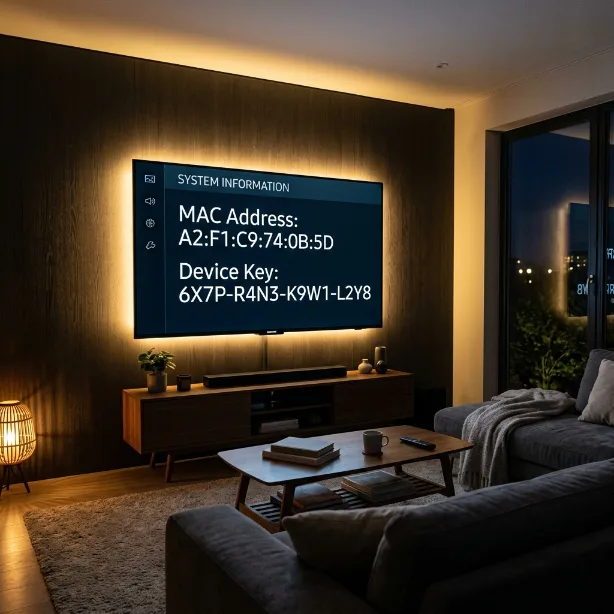
The first screen shows a MAC address and a Device Key. Take a photo of the screen with your phone. You'll need both in the next step, and it's easy to mix up a 0 and an O.
3. Add your playlist from your phone
- On your phone or laptop, go to the official IBO Player website and open the device login page.
- Enter the MAC address and Device Key from your TV.
- Choose Add Playlist. Give it a name, like "Pro IPTV".
- Paste your M3U link, or switch to Xtream Codes and fill in the server, username and password.
- Save.
4. Restart the app on your TV
Fully close IBO Player on the TV and open it again. Your live channels, movies, series and TV guide will load. With a large playlist, the first load can take a minute or two on 2018–2019 TVs. After that it's much faster.
Quick check: if you see an error instead of channels, it's almost always a typo in the server address. Look for a missing "http://", an extra space at the end, or the wrong port number. Copy and paste it instead of typing it by hand.
Free Option: Smarters Player Lite
If Smarters Player Lite shows up when you search your Samsung store, it's a solid free choice, and the layout will feel familiar if you've used IPTV Smarters Pro on a phone or Firestick.
- Search for Smarters Player Lite in the Samsung app store and install it.
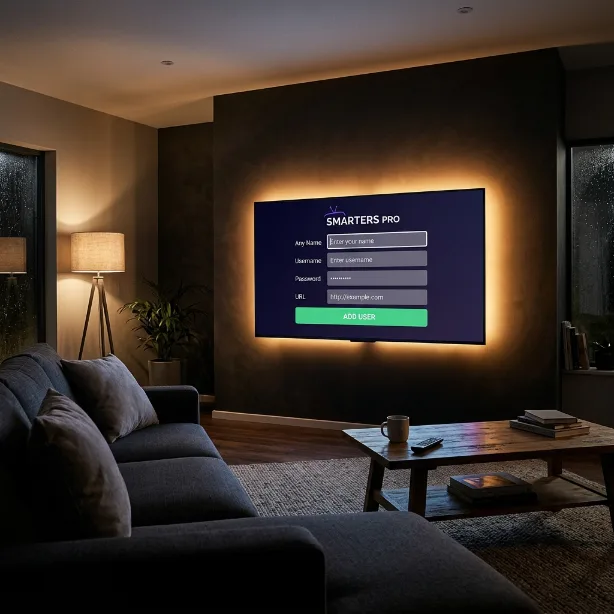
- Open it and choose Login with Xtream Codes API (recommended) or Load your playlist or file/URL for an M3U link.
- Enter any name, then your username, password and server URL.
- Select Add User and wait for your channels and guide to download.
The downside is that you type everything with the TV remote, which is slow. A cheap USB keyboard plugged into the TV makes it much easier.
No IPTV App in Your Samsung Store? Do This
Sometimes the store really doesn't list any decent IPTV player, especially on 2016 and older TVs or in certain countries. You have two options:
Option 1: Plug in a Fire TV Stick (easiest)
A Fire TV Stick or any Android TV box goes into a free HDMI port on your Samsung and gives you the full Android app selection, including IPTV Smarters Pro and TiviMate. It usually costs less than a month of cable and often runs IPTV better than the TV's built-in apps. Once it's plugged in, follow our Firestick IPTV setup guide or the TiviMate setup guide.
Pick the right stick. The Fire TV Stick 4K Select and newer Fire TV Sticks run Amazon's Vega OS and can't install IPTV apps. Choose a Fire OS model such as the Fire TV Stick 4K Max, or an Android TV / Google TV device.
Option 2: Developer mode (not recommended)
Tizen has a developer mode for installing test apps from a computer. It needs Samsung's developer tools and a certificate, apps installed this way can stop working after a TV update, and it's far more trouble than a $30 streaming stick. We only mention it so you know it exists.
Using an LG TV Instead?
LG smart TVs run webOS, which works a lot like Tizen. There are no APK files. You use the LG Content Store instead, and store listings change by country. The good news is that the same apps work on both brands:
- IBO Player: same setup as above. Install it from the LG Content Store, write down the MAC address and Device Key, and add your playlist on the website.
- Smarters Player Lite: often easier to find on LG than on Samsung.
- SS IPTV: free, and it still supports quite old LG models.
To find your LG TV's year, look at the model number. On OLED models the number after the series letter gives it away: C3 is 2023 and C4 is 2024. LG TVs from 2018 onward handle IPTV apps without trouble.
Have a Roku TV or a Roku stick instead? Roku has its own store and its own limits, so we wrote a separate guide on how to watch IPTV on Roku with the options that actually work there.
Get Smoother Streams on a Samsung TV
Once the app works, a few settings make a noticeable difference, especially for live sports:
- Use a network cable if you can. Most Samsung TVs have a 100 Mbps Ethernet port. That sounds slow, but it's roughly four times what a 4K stream needs, and a cable connection stays steady in a way Wi-Fi often doesn't.
- On Wi-Fi, use the 5 GHz network and keep the router out of cabinets. Your router is often behind the TV, and the TV itself blocks part of the signal.
- Turn on Picture Clarity for sports. Under Settings → Picture → Expert Settings, set Picture Clarity (called Auto Motion Plus on older models) to Auto. Fast camera pans look much smoother. For movies, turn it off to avoid the "soap opera" look.
- Restart the TV properly once a week. Pressing the power button only puts a Samsung TV to sleep. Hold the power button on the remote until the Samsung logo appears. That's a real restart, and it clears most slowdowns.
If your stream still stutters after all that, our buffering fix guide covers internet speed, VPNs and router settings. Most of it applies to smart TVs too.
Fixing Common Samsung IPTV Problems
| Problem | Most likely cause | Fix |
|---|---|---|
| App opens but shows no channels | Wrong server URL, or the playlist wasn't saved | Paste the details again, save, then fully close and reopen the app |
| "Playlist expired" or login error | Subscription ended, or a typo in the username or password | Check your welcome email. Passwords are case-sensitive |
| Sound but a black picture | The channel uses a format the app handles badly | Switch the player to the other video decoder in the app settings, or try a different app |
| Buffering during live sports | Weak Wi-Fi or a busy network | Use a cable or 5 GHz Wi-Fi, and pause big downloads on other devices |
| TV guide is empty | The guide hasn't downloaded yet | Wait a few minutes, then refresh the guide in the app settings |
| App got slow or keeps freezing | Full cache or low storage | Go to Settings → Support → Device Care → Manage Storage, select the app and clear its cache |
| App disappeared after an update | Samsung removed it from your region's store | Install IBO Player or another app from the table above, and add your playlist again |
If nothing else works, Settings → Support → Device Care → Self Diagnosis → Reset Smart Hub is the last resort. It signs you out of every app and puts the store back to a clean state. The default PIN is 0000. You'll need to reinstall your apps afterward.
Frequently Asked Questions
Can I install IPTV Smarters Pro on a Samsung Smart TV?
Not the Android version. Samsung TVs run Tizen, which can't install APK files. In some regions the same developer offers a Tizen app called Smarters Player Lite. If it isn't in your store, use IBO Player on the TV, or plug in a Fire OS Fire TV Stick, such as the 4K Max, and install IPTV Smarters Pro there. The Fire TV Stick 4K Select and newer sticks can't install it.
What is the best IPTV app for a Samsung TV in 2026?
For most people, it's IBO Player. It's in the Samsung store in most countries, supports both M3U links and Xtream Codes, has a clean TV guide, and costs a small one-time fee after a free 7-day trial. Smarters Player Lite is a good free alternative where you can get it.
Is there a free IPTV app for Samsung TV?
Yes. SS IPTV and Smarters Player Lite are free where available. Paid apps like IBO Player only charge a small one-time activation per TV, not a monthly fee. Remember that the app is just the player, so you still need an IPTV subscription for the channels.
Will IPTV work on an older Samsung TV?
Samsung TVs from 2017 onward usually run current IPTV apps well. 2016 models are hit or miss, and 2015 or older TVs rarely get the apps at all. For older TVs, a Fire OS Fire TV Stick or an Android TV stick in the HDMI port is the cheapest fix.
Is Samsung TV Plus the same as IPTV?
No. Samsung TV Plus is Samsung's free, ad-supported channel lineup built into the TV. An IPTV subscription is a separate service with thousands of live channels, sports and on-demand content, which you play through an app like IBO Player.
Does IPTV work the same way on LG TVs?
Almost exactly. LG TVs run webOS and use the LG Content Store instead of Samsung's app store, but the same apps (IBO Player, Smarters Player Lite, SS IPTV) and the same setup steps apply.
How do I add an M3U playlist to a Samsung TV?
Install an IPTV player such as IBO Player from the Samsung app store and open it to see its MAC address and Device Key. On your phone, open the player's website, sign in with those details and paste your M3U link, then restart the app on the TV. In Smarters Player Lite you can paste the M3U link directly in the app.
Can I use one IPTV app on two Samsung TVs?
Yes, but most paid players such as IBO Player activate per TV, so you pay the small one-time fee on each TV. Your IPTV plan also needs enough connections: with Pro IPTV Services, Duo streams on 2 devices at once and Family on up to 4.
Test It on Your Samsung TV Before You Pay
The easiest way to know if IPTV will run well on your TV is to try it. Request a free trial with no credit card needed. If the setup gives you trouble, send us your TV model on WhatsApp and we'll help you as best we can.