
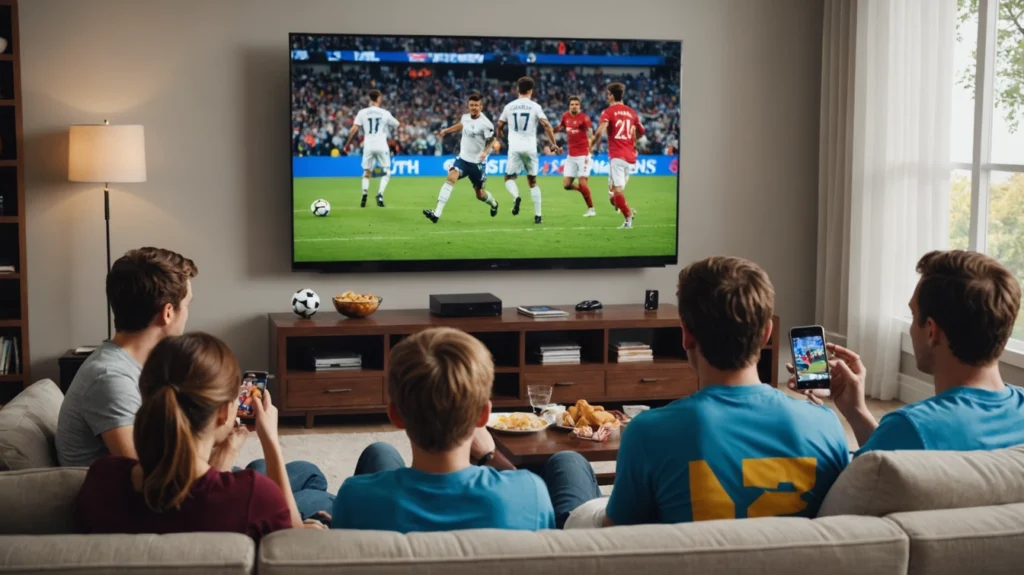
You have decided to buy IPTV in the US. Good call. But the moment you search for an IPTV subscription online, you are hit with dozens of providers making identical promises — 100,000 channels, zero buffering, 4K quality, instant activation. They all look the same. Most are not.
I have been through this process personally. I paid for services that disappeared within weeks. I dealt with providers whose streams died during Super Bowl halftime. I spent months figuring out what actually separates a quality IPTV subscription from a waste of money. This guide is everything I wish someone had told me before I bought my first subscription.
No fluff. No inflated numbers. Just a straight breakdown of what you get, what it costs, how to buy it right, and what to avoid.
What Do You Actually Get with a US IPTV Subscription? [H2]
When you buy IPTV in the United States, here is what a quality subscription includes:
- 33,000+ live TV channels — US networks, sports, news, and international
- Full US sports coverage: NFL, NBA, MLB, NHL, UFC, college football, and regional sports networks
- Local channel feeds: ABC, NBC, CBS, Fox — across major US markets
- Premium sports networks: ESPN, ESPN2, FS1, FS2, NFL Network, RedZone, NBA TV, MLB Network, NHL Network
- 140,000+ movies and series on demand — replaces Netflix, Hulu, and Amazon Prime for most viewing habits
- 4K and Full HD streaming quality
- Compatible with Firestick, Roku, Android TV, Smart TV, iPhone, iPad, and PC
- M3U playlist and Xtream Codes access for any IPTV app you prefer
Pro IPTV Services Subscription Plans & Pricing [H2]
Here is a transparent breakdown of what each plan costs and who it is best suited for:
1 Device Plans [H3]
|
Plan |
Total Price |
Per Month |
Best For |
|
24-Hour Trial |
$1.99 |
— |
Test before committing |
|
1 Month |
$18.99 |
$18.99 |
First month after trial |
|
3 Months |
$23.99 |
~$8.00 |
Seasonal viewers |
|
6 Months ⭐ Popular |
$38.99 |
~$6.50 |
Best value for most US households |
|
1 Year |
$58.99 |
~$4.92 |
Maximum savings |
|
2 Years |
$98.99 |
~$4.12 |
Long-term cord-cutters |
2 Devices Plans [H3]
|
Plan |
Total Price |
Per Month |
Best For |
|
1 Month |
$29.99 |
$29.99 |
Couples / roommates |
|
3 Months |
$44.99 |
~$15.00 |
Short-term flexibility |
|
6 Months ⭐ Popular |
$69.99 |
~$11.67 |
Best value for 2 viewers |
|
1 Year |
$110.99 |
~$9.25 |
Maximum savings |
|
2 Years |
$142.99 |
~$5.96 |
Long-term cord-cutters |
3 Devices Plans [H3]
|
Plan |
Total Price |
Per Month |
Best For |
|
1 Month |
$39.99 |
$39.99 |
Families trying IPTV |
|
3 Months |
$64.99 |
~$21.66 |
Short-term flexibility |
|
6 Months ⭐ Popular |
$99.99 |
~$16.67 |
Best value for families |
|
1 Year |
$169.99 |
~$14.17 |
Maximum savings |
|
2 Years |
$219.99 |
~$9.17 |
Long-term family plan |
Need multiple connections? Pro IPTV Services offers multi-device plans for 2, 3, or more simultaneous streams — ideal for households where different family members watch different content at the same time.
Why Buy IPTV Instead of Keeping Cable in the US? [H2]
The average American household in 2026 spends between $85 and $155 per month on cable — Comcast, DirecTV, Spectrum, or similar. Add Netflix, Hulu, ESPN+, and Peacock on top and you are looking at $150 to $200 per month just to watch television. That is $1,800 to $2,400 per year.
A 12-month Pro IPTV Services plan costs $58.99 for the full year — about $4.92 per month. That includes live sports, local channels, national networks, and 140,000+ VOD titles that replace your streaming subscriptions. Most US cord-cutters save over $1,500 per year after switching.
Beyond price, IPTV gives you flexibility that cable simply cannot match. Watch on any device, in any room, including on your phone when traveling. Your Firestick in the bedroom, your Smart TV in the living room, and your iPad on a work trip can all run on the same subscription simultaneously.
Cable locks you to a set-top box in one room. IPTV goes wherever you go.
How to Buy IPTV in the USA: Step by Step [H2]
The process is straightforward and takes under ten minutes from start to watching:
- Start with the 24-hour trial for $1.99. Full access to every channel and feature. Test it during a live NFL game or NBA playoff match — that is the real performance test. If it holds up, you will know immediately.
- Choose your plan. Based on how long you want to commit and how many devices you need. For most US households, the 6-month plan is the sweet spot between flexibility and savings.
- Complete payment. We accept all major US payment methods — Visa, Mastercard, American Express, PayPal, and cryptocurrency for privacy-conscious users.
- Receive your credentials instantly. Your M3U link and Xtream Codes login details arrive within minutes of payment.
- Start watching. Open TiviMate, IPTV Smarters Pro, or your preferred app, enter your credentials, and you are live. Total setup time: under 5 minutes. Check our Installation Guide for step-by-step screenshots.
Payment Methods Accepted in the US [H2]
A quick but important point: the payment methods a provider accepts tell you a lot about their legitimacy. Pro IPTV Services accepts:
- PayPal — buyer protection included. The most commonly used option among US customers.
- Credit and debit cards — Visa, Mastercard, and American Express all accepted through our secure payment gateway.
- Cryptocurrency — Bitcoin, Ethereum, and USDT for users who prefer privacy. No charge on your bank statement, no recurring billing to track.
Important: If a provider only accepts gift cards, wire transfers, or Zelle — walk away. That is the clearest red flag in the IPTV space. Legitimate providers accept PayPal because they are confident you will not need to dispute the charge.
Best Devices for IPTV in the USA [H2]
Based on daily use across different setups, here is how the main options rank for US viewers:
Amazon Firestick 4K Max — Best Overall [H3]
The top choice for most American households. Costs around $60 at full price and regularly drops to $35 during Amazon sales — Prime Day, Black Friday, and random promotions throughout the year. Runs TiviMate and IPTV Smarters Pro flawlessly, supports 4K output, and the WiFi 6 support makes a noticeable difference in busy home networks. Small enough to disappear behind your TV. If you are buying one device for IPTV, this is it.
Smart TV (Samsung, LG, Sony) — Most Convenient [H3]
If your TV was made after 2019, it likely supports IPTV Smarters Pro or Smart IPTV directly from its app store. No extra hardware, no additional HDMI cable, no remote switching. Just open the app and go. Samsung Tizen and LG webOS both handle IPTV apps cleanly. The convenience factor is hard to beat for living room setups.
Roku — Works with Limitations [H3]
Roku is popular in the US but has more restrictions on third-party app installations than Firestick. Workarounds exist, but the setup is less straightforward. If you already own a Roku device, it can work — but if you are buying specifically for IPTV, Firestick is the cleaner choice.
Android TV Box — Budget Option [H3]
Budget Android boxes in the $25 to $45 range run all the same IPTV apps. Quality varies considerably. If you go this route, ensure the device has at least 2GB RAM and runs Android 10 or higher. Anything below those specs and you will notice lag when loading channel lists. Stick to known brands — Nvidia Shield if budget is not a concern, or MECOOL for a mid-range option.
Apple TV — Premium Option [H3]
Apple TV 4K runs IPTV Smarters Pro from the App Store without any sideloading. If you are already in the Apple ecosystem and own one, it works excellently. At $129, it is the most expensive option — but the build quality and performance are top tier. Worth it if you have one already; not the first recommendation if you are buying from scratch specifically for IPTV.
Frequently Asked Questions [H2]
How fast is activation after I buy? [H3]
Instant. Your M3U link and Xtream Codes credentials are delivered within minutes of payment confirmation. Most customers are watching live TV within ten minutes of completing their purchase.
Can I upgrade my plan later? [H3]
Yes. If you start with a 1-month plan and decide to move to an annual plan, the difference is applied. No need to create a new account or reconfigure your apps.
Does it work if I travel outside the US? [H3]
Yes. Your Pro IPTV Services subscription works globally. Whether you are in Canada, Europe, or anywhere with a reliable internet connection, your channels and VOD library are accessible. Some users add a VPN for extra privacy when traveling, but it is not required for the service to function.
Do you offer family or multi-device plans? [H3]
Yes. Multi-device plans allow 2, 3, or more simultaneous streams under the same subscription. Each person in your household can watch different channels at the same time without any conflict or quality degradation.
Is there a contract or cancellation fee? [H3]
No contracts. No cancellation fees. Monthly plans are billed monthly and you can stop at any time. Annual plans are paid upfront for the savings benefit, but there is no lock-in beyond the plan period you choose.
What if I am not satisfied? [H3]
That is exactly what the 24-hour trial is for — test before you commit. If you do purchase a full plan and are not satisfied, we offer a 7-day money-back guarantee. No questions asked, no hassle.
The Smart Way to Buy IPTV in the US [H2]
Here is what I would tell anyone in the US who is ready to cut the cord: start with the 24-hour trial for $1.99. Watch a full NFL game on it. Switch between channels. Browse the VOD library. Try it on your Firestick and your phone. If it performs — and it will — then choose the 6 or 12-month plan for the best per-month value.
The savings against a standard Comcast or DirecTV bill are not marginal. Most US households switching to IPTV save $1,200 to $1,800 per year. On a 1-year plan at $58.99, the math is not complicated.
I made the switch and the only thing I regret is not doing it sooner. Every month that $7 charge appears and I remember what Comcast used to charge me. The difference is significant.
Start your 24-hour trial for just $1.99 — full access, no long-term commitment required.
Related Articles on Pro IPTV Services:
- Best IPTV Service in the USA 2026: I Tested 10 Providers So You Don’t Have To
- IPTV Buffering on Firestick: How to Fix It (2026)
- IPTV Beginner’s Guide: Everything You Need to Know in 2026